What is a bookmarklet?
A special kind of bookmark that performs a task when you click it.
Did you know? Many of the largest companies on the Internet share bookmarklets?
A few examples include a bookmarklet from Google,
Facebook,
Delicious (Yahoo),
and Microsoft Live.
A bookmarklet is very similar to a browser add-on or extension.
However, it requires no installation, and no restart.
It will not slow down your computer, and it is generally safer to use.
Bookmarklets are tiny programs stored inside bookmarks.
Similar to add-ons, extensions, and user scripts, they add new tools to your web browser.
Bookmarklets are shared on web pages as web links.
To add a bookmarklet to your browser, right click on it's web link and choose the bookmark option. To use it, simply click on the new bookmark you added.
Similar to add-ons, extensions, and user scripts, they add new tools to your web browser.
Bookmarklets are shared on web pages as web links.
To add a bookmarklet to your browser, right click on it's web link and choose the bookmark option. To use it, simply click on the new bookmark you added.
Pictures of bookmarklets in Internet Explorer and in FireFox
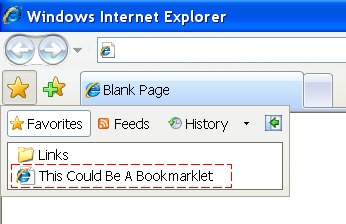
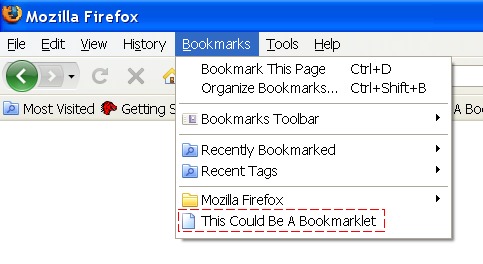
No Installing Necessary
You don't actually "install" a bookmarklet. You simply add it to your bookmarks. It just sits there patiently until you want to use it.
Pro Tip: Add a bookmarklet to your links toolbar for faster access.
When added to your links toolbar, bookmarklets are sometimes called "browser buttons".
Safety Information about Bookmarklets
Because they can do more than standard web links, some browsers will give a warning when you add a bookmarklet. However, a bookmarklet is usually much safer to install than standard programs.Some of the largest companies on the internet distribute bookmarklets, including a bookmarklet from Google, a bookmarklet from Facebook, a bookmarklet from Delicious which is owned by Yahoo!, and a bookmarklet from Microsoft.
Unlike a standard program, add-ons, extensions, and user scripts, a bookmarklet can run only when you click it. A bookmarklet can not access files on your hard drive. A bookmarklet can affect only the web site you are viewing at the time you click it.
A bookmarklet is usually written in the programming language called JavaScript. This is the same type of programming used in almost all of the top websites on the Internet.
All of these statements are generalizations only. Like all software, you should not use bookmarklets from dangerous sources. Also, you should never use a bookmarklet when you are visiting a site where security is critical, such as your bank's website.